(HT)hold that

hold
that.

Hold a thought. Sort it when you’re ready. Kept for you until you need it.

Everything you hand it is held, and everything held finds its way back — at its time, on its day, or on a rhythm of its own: every morning, every Tuesday, workdays only. It’s a keeper.

Ask for an invite

iPhone and the web. Free for a week, then $9.99 once.

Every morning

Your day, by email.

Every morning at 7, hold that sends you the day: what’s on today, what’s tomorrow, where things stand, and the weather where you are.

Open it, or print it. One click at the bottom of any mail turns it off.

How it works
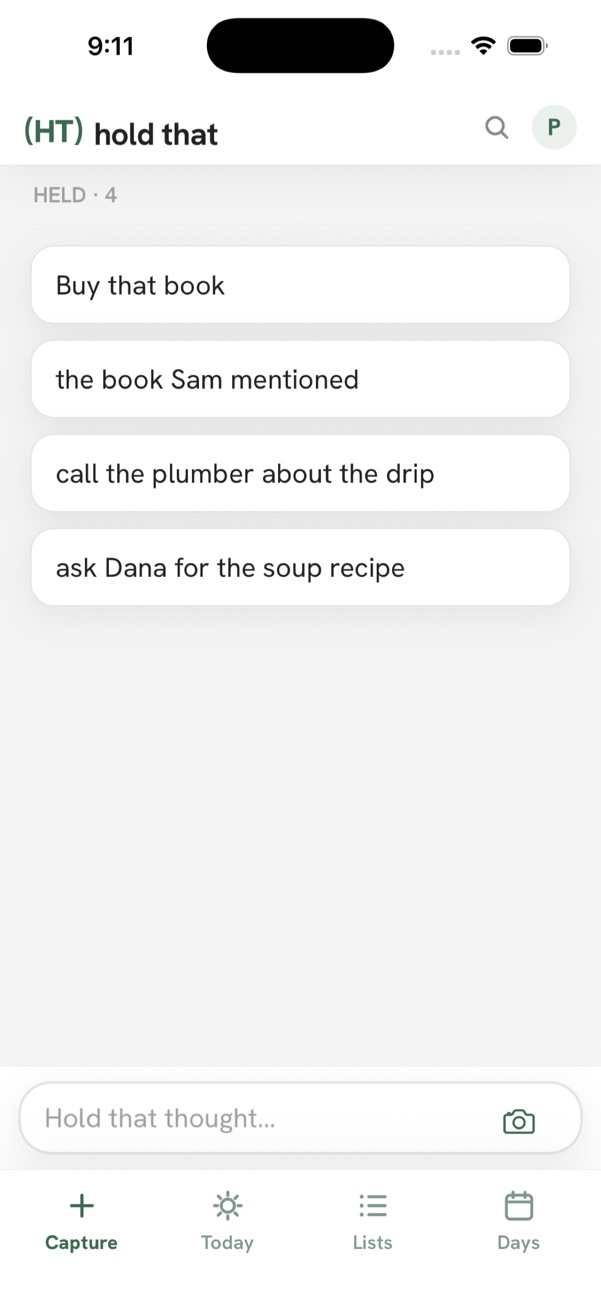
The Capture screen: a few thoughts and the box that says Hold that thought
Put it in.Type it, say it, share it in from another app, or take a picture. No sorting yet.
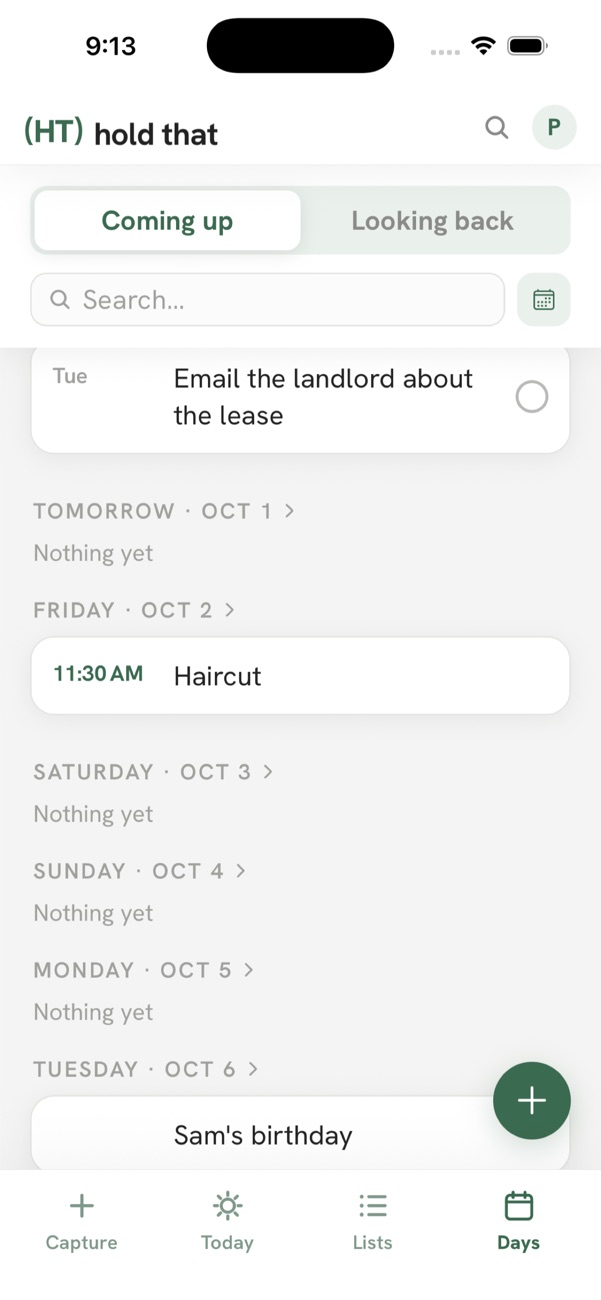
The Days screen: what's coming up, day by day
Sort it when you’re ready.Give it a day, a list, or today. Or leave it where it is.
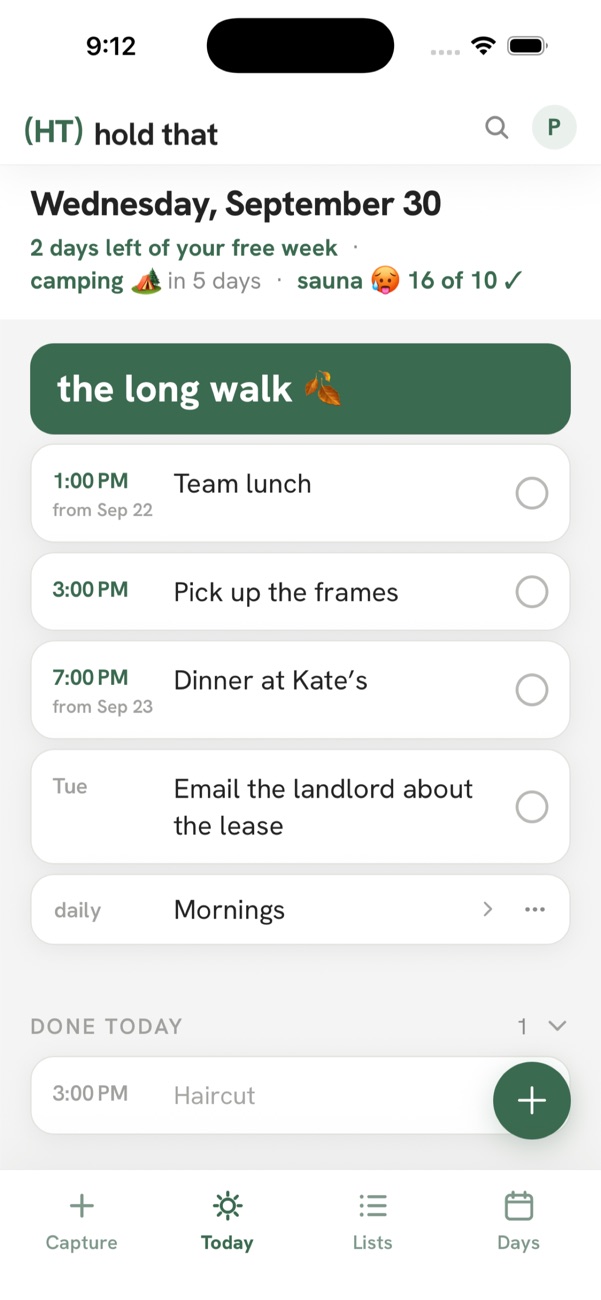
The Today screen: the day's things in time order
It comes back.On the day you gave it, at the time you set, or every Tuesday if that’s what you said.
Can it remember…
my train ticket?
Save the ticket in hold that, PDF and all. The morning of the train it’s on your Today, and on your page in your inbox.
my Amazon return before day 31?
You have 30 days, and you’ll remember on day 31. Save a picture of the QR code for day 25 and it’s on that morning’s page.
trash night? Every trash night?
Trash goes out Thursday. Add it once and it comes back every Thursday.
my vitamins?
Make a list of what you do every day: water, a walk, the vitamins. It comes back fresh every morning and you check things off.
that I said four runs a week?
Set the goal on your running list and watch the week fill in. See the streak, and see what you’ve been skipping.
nine things at 11pm?
Put each one in, go to sleep, and sort them in the morning. Nothing is lost.
It connects
Apple CalendarYour events on your days, next to everything else.
Google CalendarThe same. As many calendars as you like.
ClaudeAsk Claude what’s on today, or tell it to add something for you.
EmailForward an email to your own hold that address and it’s in there, with a way back to the email.

How to connect →

Free for a week. Then $9.99, once.

Every feature, on iPhone and the web, one account. The morning page included. No subscription, no tiers, nothing to cancel.

Ask for an invite
Yours
Nothing comes you didn’t ask for.Reminders and alarms you set, and your morning page, which stops the moment you say.
No ads, no selling.Nothing leaves your account unless you connect something yourself.
Take it with you.Export it all as one file, any time. Pictures don’t export.
Leave cleanly.Delete your account from inside the app. It’s gone.

Privacy, in plain words →

Set up hold that.

9:41
(HT)hold that
P
What it does
  • Every morningYour day on one page, in your inbox before it starts: today with its lists, tomorrow, where things stand. Tick it on the computer or print it. Pick the hour, or turn it off.
  • Pictures and ticketsKeep the picture with the thing. From a ticket or a confirmation, it reads the date and time for you.
  • CalendarsConnect Apple or Google Calendar and your events show up on your days, next to everything else. How to connect
  • ClaudeConnect Claude and ask what’s on today, or tell it to add something for you. How to connect
  • Your dataDownload everything you’ve saved as one file, any time. In the app: Settings, then Your account, then Export.
The Capture screen: four held thoughts and the box that says Hold that thought

The events from the calendars you switch on show on your days, next to your own things.

  1. In the app, tap your initial at the top right. That opens Settings.
  2. Tap Calendars, then Apple Calendar, and allow it.
  3. Switch on the calendars you want.

The same, from Google. As many calendars as you like.

  1. In Settings, tap Calendars, then Google Calendar.
  2. Sign in to Google and check both calendar boxes.
  3. Switch on the calendars you want.

How your Google data is used

Add hold that to Claude and it can see your days, hold a thought for you, put it on a day, or mark it done.

  1. In Claude, open Settings, then Connectors, then Add custom connector.
  2. Name it hold that and paste the address from the connector page.
  3. Tap Connect and sign in with your hold that account.

The address, and what Claude can see

Forward an email to your own hold that address and it’s in there, with a way back to the email.

  1. In Settings, under Email in, copy your address. It’s yours alone.
  2. Forward any email to it, from any mail app.
  3. It lands in Capture. Give it a day when you’re ready.